If coding agents are writing a large share of your code, you need a way to tell whether the codebase they work in is getting harder to change. This guide sets that up: what Polyscan measures, how to install it, what the configuration file does, and how to read the first report.
What Polyscan is
Polyscan is a GitHub App that measures the structure of your whole repository on a schedule and reports the change. Once a week by default, it runs static analysis across every file it is pointed at, compares the result with the previous run, and posts the change to a GitHub Issue along with what to fix first.
It measures five things:
- Cyclomatic complexity, per function, so you know which functions have become hard to read and hard to test.
- Duplicate code, from copy-paste down to structurally similar blocks with different names.
- Dead code, found by walking the control flow graph rather than by guessing from names.
- Dependencies, including circular imports and unstable module edges.
- Class design, measured as coupling between objects and lack of cohesion.
Those five readings roll up into a 0 to 100 health score with an A to F grade, so a week-over-week change is a single number you can put in a standup.
Keep your linter and type checker. Polyscan adds a different view: how complexity, duplication, and dependencies change across the repository over time.
The analysis engines are open source: pyscn for Python and polyscan for JavaScript, TypeScript, Go, Rust, and C++. Both are single Go binaries built on tree-sitter. pyscn, the original engine, has over 1,000 GitHub stars and around 80k downloads a month, so the analysis behind the App is already in daily use well beyond it. You can run either one locally in seconds with no setup:
uvx pyscn analyze .        # Python
npx polyscan analyze .     # JS/TS, Go, Rust, C++
The App is the same analysis run for you on a schedule, with the history kept and the results delivered where your team already looks.
Python and JavaScript/TypeScript get all five readings. Some readings for Go, Rust, and C++ are still in development, and a reading that is not measured is left out of the score rather than counted as clean.
Install
-
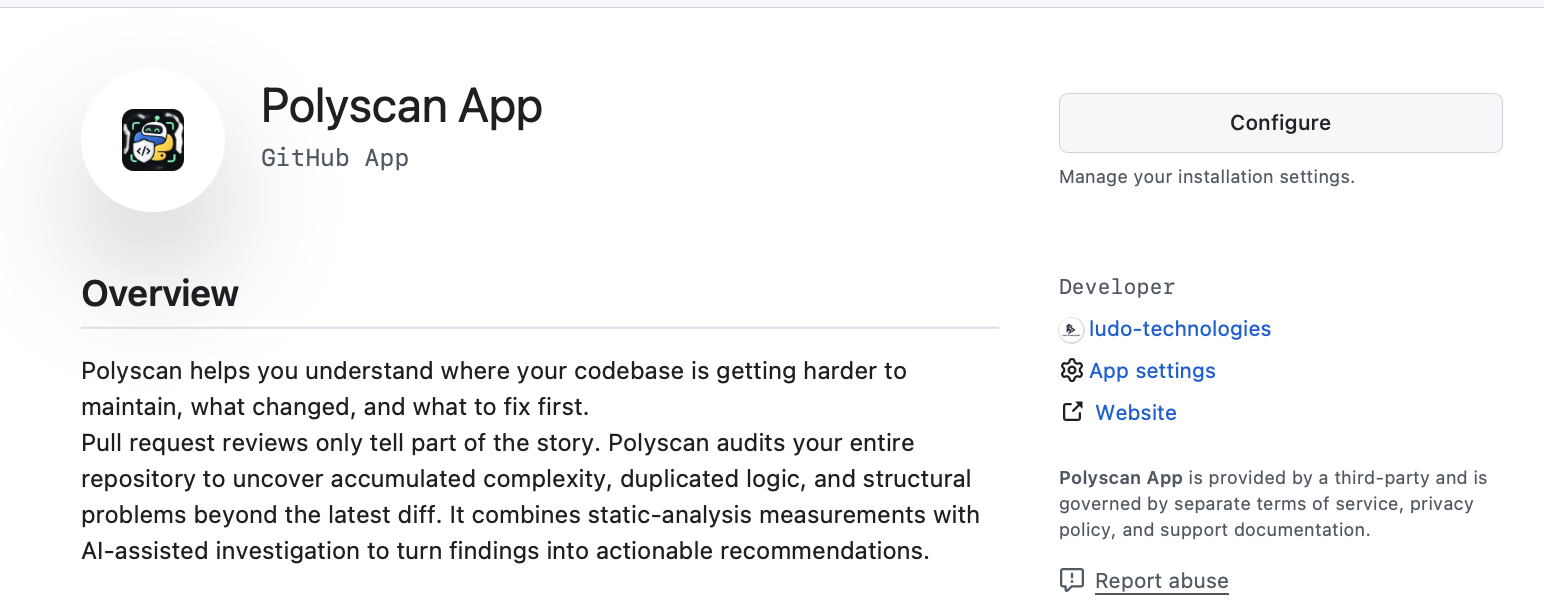
Open github.com/apps/polyscan-app and click Install.
-
Choose the account or organization, then either all repositories or a specific list. You can change this later from GitHub's Installed Apps settings.
-
That is the whole installation. The first audit starts right away and takes about an hour, after which an Issue appears in each repository the App can see. Later audits follow the schedule in the configuration. There is no dashboard to sign up for and no token to paste anywhere. If no Issue has appeared after a few hours, check that the repository is included in the installation's repository list, then open an issue.
Public repositories get every feature at no cost. The free plan also covers up to two private repositories with weekly audits. Pro, at $10 a month with a 14-day trial, adds up to five private repositories, daily audits on them, and pull request review on them.
Configure
Polyscan works with no configuration at all. When you want to change the
defaults, add .github/polyscan.yml to the repository:
language: en             # report language: en, ja, zh, ko, es, fr, de, pt
target_directories:      # directories to analyze (default: all)
  - src/
audit_interval: weekly   # daily, weekly, or monthly
pr_review: true          # off by default
Each key does one thing.
language sets the language the Issue and PR comments are written in.
The default is English. Japanese, Chinese, Korean, Spanish, French, German,
and Portuguese are also available.
target_directories limits the scan. The default is the whole
repository. On a monorepo you almost always want this, both so the score
reflects the code you own and so vendored or generated directories do not
dominate the duplication reading.
audit_interval is how often the full scan runs. weekly is the default
and the right choice for most repositories. monthly is fine for something
that changes slowly. daily is free on public repositories and needs Pro on
private ones. If agents are landing several PRs a day, daily is worth it,
because the report tells you about a new cluster of duplicates the morning
after it appears instead of a week later.
pr_review turns on review comments on pull requests. It is off by
default. When on, Polyscan flags a function whose complexity crossed the
threshold, or a block that duplicates code elsewhere in the repository, on
the PR before merge. It is a supplement to the audit, not the main event.
Free on public repositories, Pro on private ones.
Reading the report
The first audit opens an Issue and establishes the baseline. It has no previous run to compare against, so it reports the health score, the grade, the current readings, and the places that stand out: the most complex functions, the largest clone groups, the dead code it found, and any dependency cycles.
Do not try to fix everything in the first report. Use it as a baseline for tracking changes, then start with one actionable recommendation. Leave the Issue open; Polyscan keeps using it.
Each later audit is posted as a comment on that same Issue, so the history of the codebase reads top to bottom in one thread. The comment leads with the change: the score before and after, the issue count before and after, and a table of each reading that moved. Anything that was flagged last time and is gone now is listed under Resolved, with the file and line it used to live at, and the comment names the commit it was compared against.
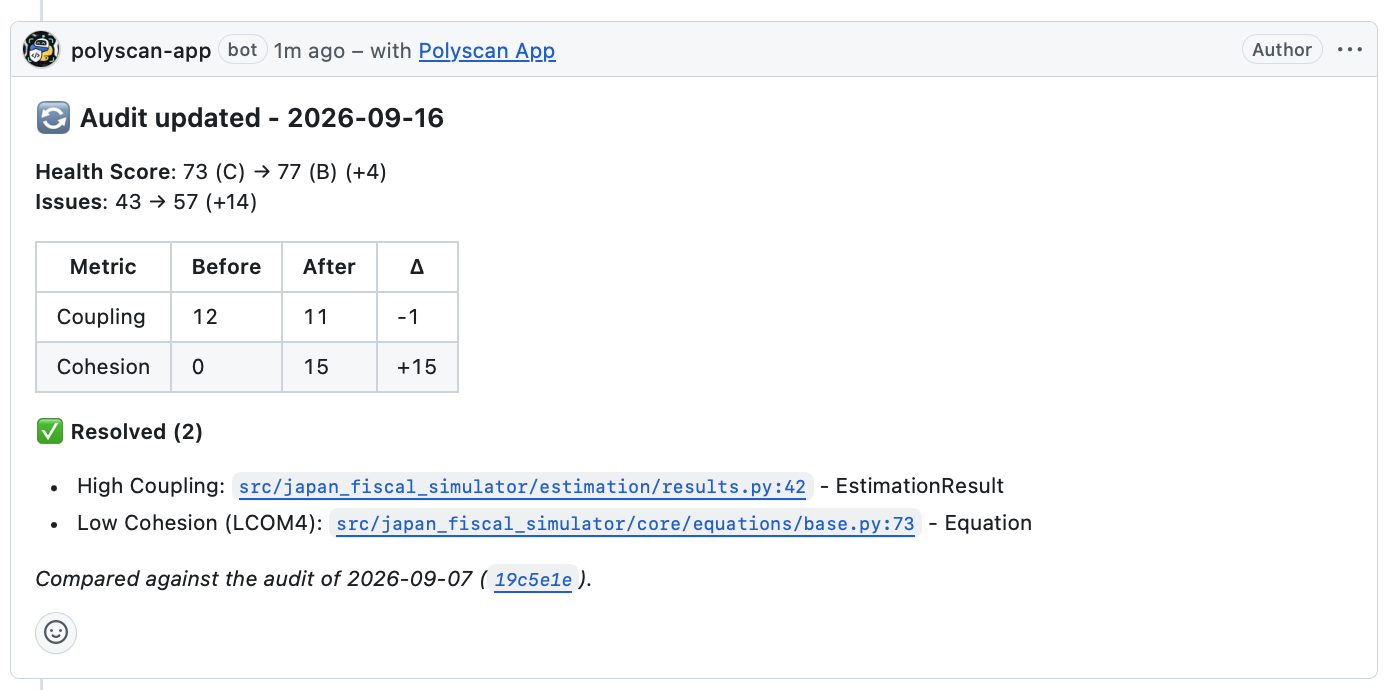
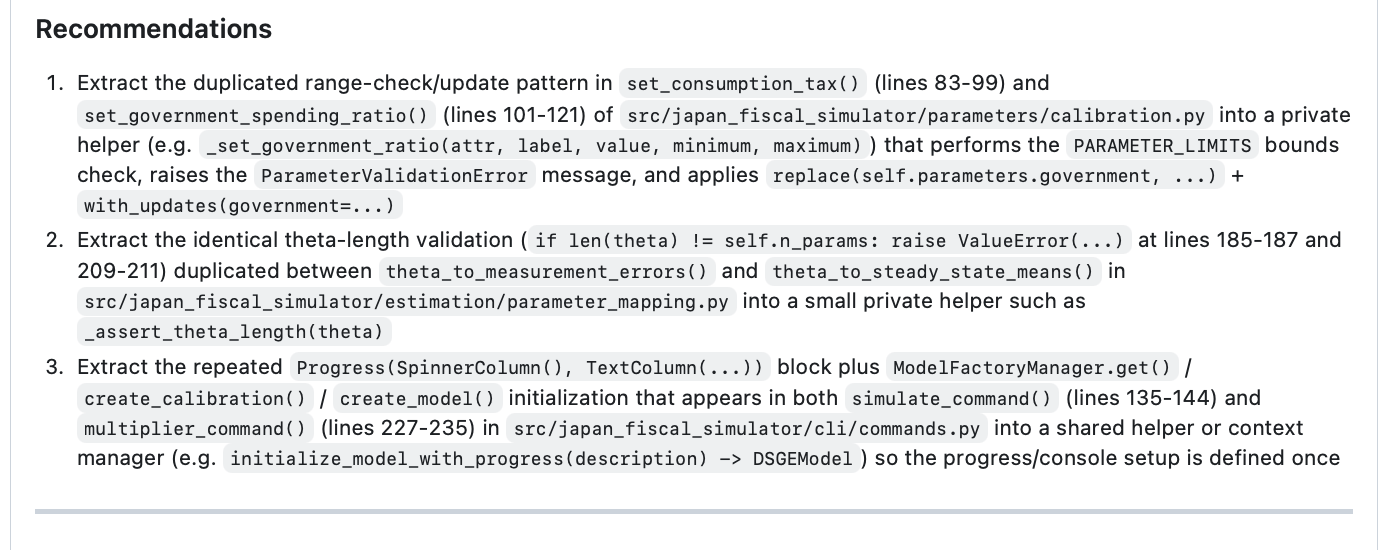
Below the numbers come the recommendations. These are not "complexity is high, consider refactoring". In the example below, each one names the functions involved, the line ranges, and what the shared logic actually is, and proposes a concrete extraction with a suggested name. Written like that, a recommendation is something you can hand straight to a coding agent as a task.
If a report looks worse than expected, check two things before touching code.
First, whether target_directories is letting generated or vendored code into
the scan. Second, whether a large merge landed that week. A single big PR will
move the readings more than a week of small ones, and the Before/After table
will make that obvious.
What Polyscan does not do
It does not keep your code. Source is deleted once the audit or review has been processed, and the details are in the privacy policy. It does not lint, format, type-check, or run tests. It does not find security vulnerabilities. Keep the tools you already have for those.
Where to go next
- Install the App at github.com/apps/polyscan-app.
- Analyzer reference, thresholds, and CLI options are at docs.codescan.dev.
- Bug reports and feature requests for the App go to the issue tracker.
If you want the argument for why this matters before you install anything, start with What Your Coding Agent Can't See and Review Is the Bottleneck Now.